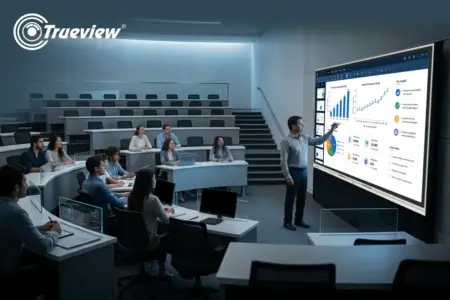
Education technology is evolving, but many classrooms still struggle with fragmented setups. Institutions invest in panels or displays, only to realise they still need external CPUs, separate software, and additional tools to make everything work together. This is where All in One Computers change the approach completely.
Trueview TrueBoard All in One Computers are built as complete classroom systems. They combine interactive teaching, built-in computing, hybrid capabilities, and intelligent software support into one device. Instead of adding more components, they simplify everything.
In this blog, we will explain why educators prefer TrueBoard over standard Interactive Touch Panel solutions and what makes it a better choice for modern teaching. Keep reading!
The Problem with Standard Interactive Touch Panels
Most Interactive Touch Panel solutions are designed mainly for display and basic touch interaction.
They typically allow:
- Writing on the screen
- Displaying presentations
- Basic user interaction
However, in actual classroom use, educators often face limitations:
- Need for external laptops or CPUs
- Lack of built-in teaching systems
- No structured support for hybrid learning
- Additional setup required for recording lectures
This means the panel alone is not enough. It becomes part of a larger, more complex setup.
TrueBoard All in One Computer – A Complete Teaching System
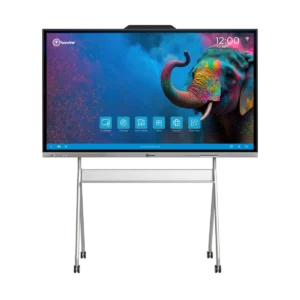
TrueBoard is designed differently. Trueview All in One Computers are not dependent on external systems. They combine everything required for teaching into one device.
This includes:
- Built-in computing power
- Interactive teaching interface
- Content access and management
- Hybrid classroom support
This makes TrueBoard a complete Digital Board for Teaching, not just a display.
Clear Difference – TrueBoard and TrueBoard.ai
To understand the system properly, it is important to distinguish between the two:
- TrueBoard is the hardware – the All in One Computer used in the classroom
- TrueBoard.ai is the intelligent software inside the system
TrueBoard handles:
- Display
- Interaction
- Device performance
- Classroom execution
TrueBoard.ai supports:
- AI-powered tools
- Teaching assistance
- Content access
- Language and curriculum features
Together, they create a complete teaching environment without confusion or dependency on multiple tools.
No External Devices Required
One of the biggest advantages of TrueBoard All in One Computers is that everything is built in.
Educators do not need:
- External CPUs
- Separate software installations
- Additional teaching devices
Teachers can start teaching directly from the board. This simplifies classroom setup and reduces technical issues.
Built for Hybrid Classrooms
Modern education requires flexibility. TrueBoard supports hybrid teaching by allowing:
- Live classroom sessions
- Remote student participation
- Lecture recording
A teacher can conduct one class and reach multiple locations at the same time.
This is something most standard Interactive Touch Panel setups cannot achieve without additional systems.
Lecture Recording Without Extra Tools
Recording lectures is essential for revision and remote learning. TrueBoard All in One Computers include built-in recording capabilities:
- Capture screen content
- Record audio
- Save lectures automatically
Students can revisit lessons anytime, improving understanding and retention.
Faster Lesson Preparation with TrueBoard.ai
Lesson preparation often takes a significant amount of time. With TrueBoard.ai, teachers get:
- Ready-to-use educational content
- AI-supported tools like speech-to-text and text-to-speech
- Quick access to visuals and subject material
This reduces preparation time and helps teachers focus on delivering lessons effectively.
NCERT-Based and Structured Learning Support
TrueBoard.ai supports curriculum-based teaching by aligning content with structured learning formats.
Teachers can:
- Access subject-wise material
- Follow syllabus-based teaching
- Explain concepts with better clarity
This is especially useful for schools and institutions following standardised curriculum.
Regional Language Support for Inclusive Learning
Classrooms in India require flexibility in language.
TrueBoard.ai enables:
- Teaching in regional languages
- Better understanding for students
- Increased participation in class
This ensures that language doesn’t become a hindrance to learning.
Smooth and Continuous Teaching Experience
With traditional setups, teachers often face interruptions due to device switching.
TrueBoard eliminates this problem.
Teachers can:
- Write notes
- Open presentations
- Show videos
- Access teaching content
All from one screen without delays. This keeps the teaching flow uninterrupted.
Better Interaction Than Standard Panels
TrueBoard offers a more engaging classroom experience compared to basic panels. It supports:
- Multi-touch interaction
- Real-time student participation
- Collaborative problem-solving
Students can interact directly, making learning more active.
Reduced Complexity and Maintenance
Standard panel setups often require multiple components.
TrueBoard simplifies everything. With All in One Computers, institutions benefit from:
- Fewer devices
- Less maintenance
- Cleaner classroom setup
- Reduced technical dependency
Suitable for All Learning Environments
TrueBoard All in One Computers work effectively across different educational setups.
Schools
For interactive and structured learning.
Colleges
For detailed lectures and hybrid teaching.
Coaching Institutes
For managing multiple batches.
Training Centers
For workshops and professional programs.
TrueBoard vs Other Interactive Touch Panels – The Real Difference
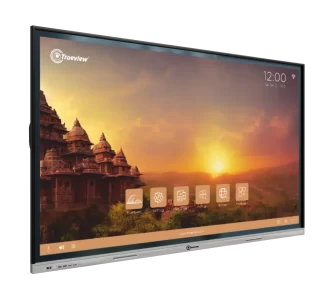
The key difference lies in purpose.
Interactive Touch Panels focus on display and basic interaction. TrueBoard All in One Computers focus on complete teaching.
They provide:
- Built-in computing
- Integrated teaching tools
- Hybrid classroom capabilities
- AI-supported learning through TrueBoard.ai
This makes TrueBoard a more advanced and practical solution.
Key Considerations Before Choosing a Classroom Technology
Before selecting any classroom solution, educators and institutions should evaluate a few important factors.
Does it work independently?
A system should not depend on external devices for basic functioning.
Does it support hybrid learning?
The ability to teach both in-class and remotely is now essential.
Does it reduce teacher workload?
The right solution should make lesson preparation faster, not more complicated.
Does it support structured learning?
Access to curriculum-based content and teaching tools improves classroom efficiency.
Is it easy to manage and maintain?
A simple, all-in-one system is always more practical than a multi-device setup.
Trueview All in One Computers meet all these requirements, making them a reliable choice for modern classrooms.
Why Educators Prefer Trueview All in One Computers
Educators choose TrueBoard because it:
- Simplifies classroom setup
- Reduces lesson preparation time
- Improves student engagement
- Supports hybrid learning
- Works as a complete Digital Board for Teaching
It allows teachers to focus on teaching instead of managing technology.
Takeaway
Classrooms need solutions that go beyond basic display functionality. While many Interactive Touch Panel options provide limited features, they often require additional systems to meet real teaching needs.
TrueBoard All in One Computers, combined with TrueBoard.ai, offer a complete and integrated solution. They bring together teaching, interaction, content access, and hybrid learning into one system.
For educators and institutions looking to simplify teaching and improve classroom experience, TrueBoard provides a practical and future-ready approach.
About Trueview

Trueview is an Indian technology brand known for its display and security solutions used across education, corporate, and public environments. Our company focuses on building products that are easy to use, reliable, and suitable for everyday applications.
Our product range includes All in One Computers, CCTV cameras, digital signage, video conferencing systems, and much more. These solutions are designed to support modern classrooms with better interaction, communication, and connectivity.
With a strong presence across India and continuous product development, we help institutions adopt smarter and more connected learning environments.
If you are planning to upgrade your classrooms with advanced All in One Computers, feel free to contact us today. We will help you explore the right solution for your institution.