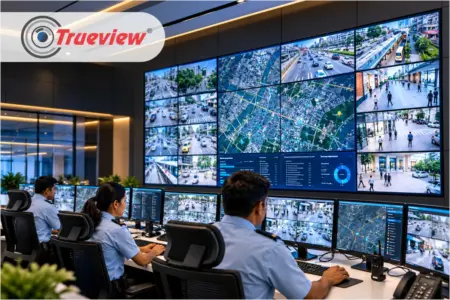
A Security Operations Center (SOC) depends on clear visibility, quick access to information, and an organised monitoring environment. Security teams need to watch camera feeds, alarm lists, maps, and incident dashboards for long stretches. If the screens are scattered, mismatched, and badly arranged, people miss things. A missed alert results in delayed response, overlooked security threats, and potentially serious incidents.
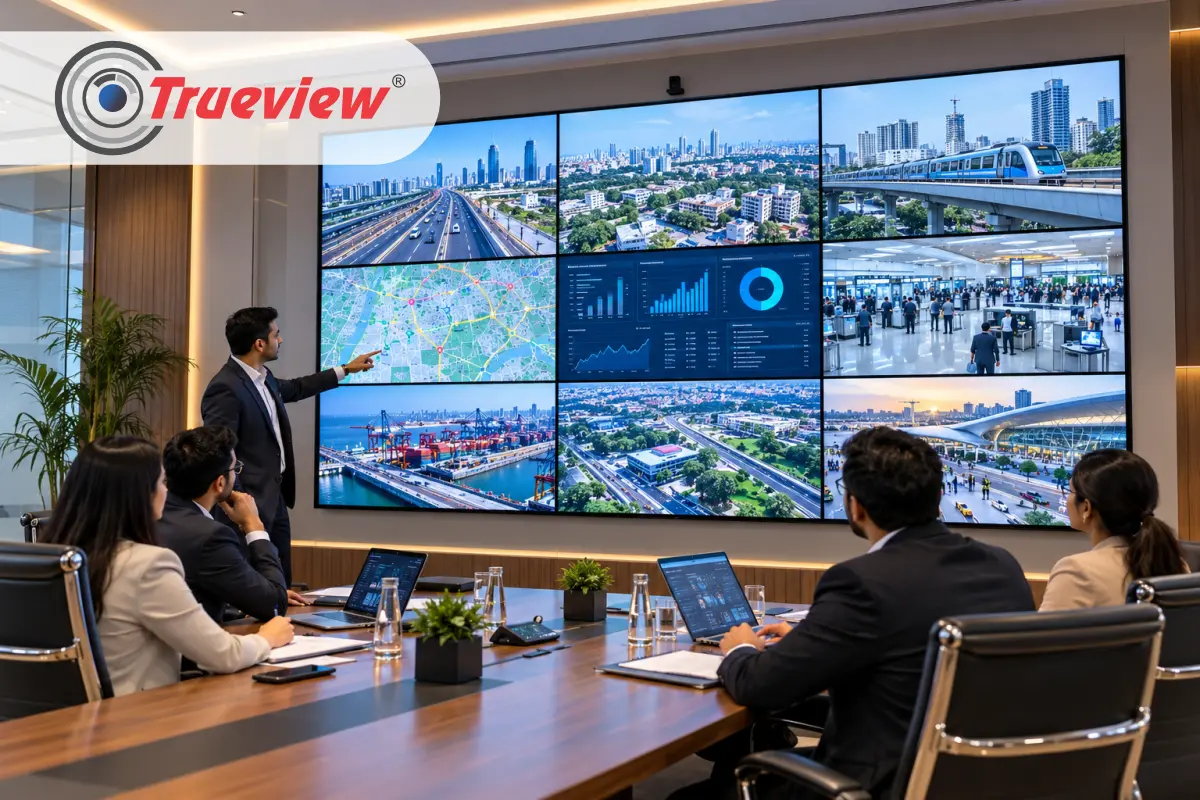
A well-designed Video Wall Display brings these feeds together on a large visual platform, making it easier for operators to monitor multiple sources from one location. Trueview offers Video Wall Monitors and Video Wall Controllers designed for applications such as CCTV control rooms.
The LCD Video Wall Monitors use industrial-grade components for everyday use and suit control rooms and other large monitoring environments. In this blog, we explain how to design an efficient monitoring layout and what to look for in Video Wall Displays. Keep reading!
Why a Video Wall Display Matters in a Security Operations Center
A security operations center receives information from many cameras and other video sources at once. Looking at these feeds across separate desktop monitors makes it harder for a team to maintain an overall view.
A Video Wall Display creates a larger shared viewing area. Operators arrange multiple screens to view multiple camera feeds at once.
For security teams, this can support:
- Centralised viewing of CCTV feeds
- Simultaneous monitoring of multiple areas
- Increased visibility for those working in the same control room
- Flexibility in displaying different screens
- Access to key camera shots
- Organised monitoring area
Trueview Video Wall Displays support multiple input and output views, including PC, mobile, video, and CCTV sources. It also helps identify CCTV control rooms as one of the applications for these controllers.
Choosing the Right Video Wall Display Monitors for an SOC

Not every monitoring room has the same physical layout and operational requirements. The number of screens, screen size, bezel width, viewing distance, and content sources can influence the final design.
When Selecting Video Wall Display Monitors, an SOC should consider:
1] Screen Size
- The larger display provides clearer information.
- The right video wall size depends on control-room dimensions, operator seating, and the number of screens planned.
- Trueview offers multiple Video Wall Monitor options; plan the display layout around the available space.
2] Bezel Size
- The gap between adjoining screens affects a video wall’s appearance.
- Smaller bezels help create a more continuous visual surface when several displays are installed together.
- Trueview available bezel options include 0.8 mm, 1.8 mm, and 3.5 mm.
3] Continuous Operation
- Security operations run throughout the day and night.
- Display equipment must be suitable for extended operation.
- Trueview LCD Video Wall Monitors use industrial-grade components and are designed for 24×7 usage.
Why a Security Operations Center Needs a Video Wall Monitor
Most control rooms start with individual monitors on each desk. That works until the number of feeds grows. One operator cannot watch multiple camera views on a single desk screen, and three operators watching different screens cannot easily share what they see.
A Video Wall Display Solves Three Practical Problems:
- Shared Awareness: Everyone in the room sees the same live picture so that a supervisor can point to a feed and the whole team understands instantly.
- Scale: You can show many camera views, a site map, and an alarm list together, without asking operators to switch windows.
- Faster Hand-offs: When shifts change, the incoming team reads the wall and knows what is happening within seconds.
Video Walls do not replace desk monitors. They handle the big picture, while operators use their own screens for detailed work such as reviewing footage or logging incidents.
Designing the Layout – Zones That Match How Operators Think
An efficient layout design: information by purpose, not by convenience. A common approach is to divide the wall into various zones.
1] Primary Feed Zone
- Place the most important live views at the center of the Video Walls, at eye level, where the operator looks first.
- Use the larger tiles for critical areas such as entry gates, cash counters, restricted areas, and more.
2] Secondary Camera Grid
- Surround the primary zone with smaller tiles such as corridors, parking areas, perimeter fences, etc.
- These do not need constant attention, but they must be visible when something moves.
3] Alert and Status Zone
- Reserve one section of the panel for alarms, the incident dashboard, and the sitemap.
- Keep it in a fixed position so that operators know exactly where to look when an alert appears.
- Fixed position, build habit – habit builds speed and instant action.
4] Panel Size, Bezels, and Viewing Distance
- Bezels matter in a monitoring room more than in a lobby.
- Whenever the camera view crosses two panels, the gap between them tends to hide information about a person or a vehicle.
- Narrow bezels reduce that risk – that is why Trueview offers Video Wall Display Monitors with 0.8mm, 1.7mm, and 3.5mm gaps.
- Mark the farthest and nearest seating positions before deciding the grid size, and check that dashboard text stays readable from the back row.
Build the Video Wall Around the Monitoring Workflow

A well-planned SOC video wall should make monitoring easier, faster, and more organised. The layout, display priorities, video wall controller, CCTV feeds, and room setup should work together. It helps to spot important information without unnecessary visual clutter.
1] Design Around the Workflow
Design an effective SOC video wall around how security teams actually monitor and respond to incidents, not just the available hardware.
2] Prioritise Critical Feeds
Equal size and emphasis for all camera feeds create visual clutter. The routine feed occupies standard positions, while critical cameras, alarms, and incident views take up more space for spontaneous attention.
3] Organise by Security Zones
Grouping camera feeds by location, building, floor, or security zone makes information easier to scan. Operators quickly identify where an event is occurring without searching through a disorganised collection of screens.
4] Match the Controller
The video wall controller supports the required number of inputs, outputs, layouts, and sources. Planning Video Wall requirements in advance helps ensure the system handles monitoring workload seamlessly, without unnecessary limitations.
5] Connect the Entire System
When video wall screens, controllers, CCTV, and the SOC room are integrated into one setup, the system works more smoothly. It allows operators to access information easily and respond to queries faster.
Takeaway
A Video Wall Display becomes an important part of a modern Security Operations Center by bringing multiple CCTV views and other video sources into one organised monitoring environment. However, an effective setup depends on more than installing several screens side by side.
Consider screen size, bezel width, viewing distance, room design, input sources, controller capabilities, and the number of camera feeds before planning the installation.
For organisations planning a security monitoring center, start with the monitoring workflow, then select the Video Wall Display Monitors, controller configuration, and overall layout accordingly.
Trueview helps Security Operation Centers with practical display and video wall solutions designed for professional monitoring environments.
About Trueview

Trueview is a popular Indian technology brand offering display, surveillance, and educational technology solutions for homes, businesses, institutions, and public spaces. Our wide range comprises CCTV Cameras, Video Wall Monitors, Digital Signage Solutions, and other technology solutions designed for different operational environments.
Our display solutions are designed for applications where clear visual communication and dependable operation matter. Trueview Video Wall Monitors are designed for 24×7 use and suit control rooms, airports, shopping malls, stadiums, and other large venues.
Businesses can start with a small setup and expand over time, and organisations with multiple sites can standardise on one brand for both surveillance and display needs. With a focus on quality, service, and future-ready technology, we help teams see more and act faster.
Planning a Video Wall for your SOC? Don’t just add more screens, Video walls should make it easier for the team to see what matters, stay aware of incidents, and respond quickly when something needs attention.
Contact us today to discuss your Video Wall requirements. Our team will assist you further!